Looking to Add or Update a Warehouse Management System?
SC Codeworks Team
The functions mentioned in the previous article, 5 Mission Critical WMS Features You Shouldn’t Live Without, namely: Real Time Inventory Management, Cloud Based Operation, Flexibility, Analytics and Visibility at All Levels, can and should be found in all superior WMS. Additionally, depending on the size of your operations and your growing needs you will want to look at this more comprehensive list of functions as well A good WMS will easily handle most, if not all, of the aforementioned needs, when operating a cost-effective and efficient warehouse or 3PL business. A great WMS will also be affordable, customizable, scalable and fully supported through the entire implementation process and beyond by a dedicated team of seasoned experts.
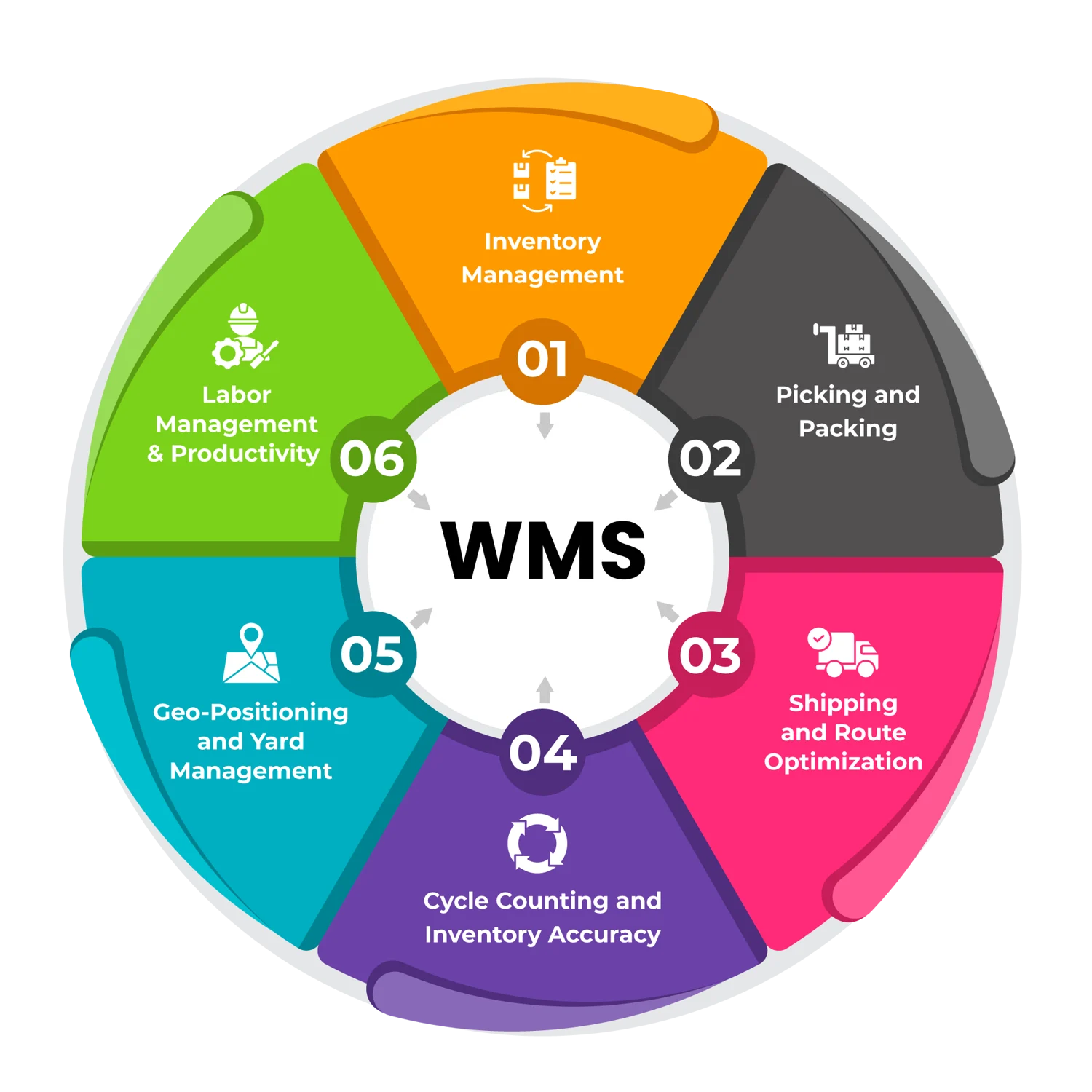
Does your current WMS or the WMS you are currently considering do all the following, and meet the criteria just listed for greatness?
Inventory Management: Real-time visibility into inventory levels, locations, and stock movements is essential. This helps optimize stock levels, reduce overstocking or stockouts, and prevent costly errors.
Picking and Packing: Accurate order fulfillment relies on effective picking and packing. Warehouse staff should be guided to the right locations to minimize travel time and ensure correct item selection.
Shipping and Route Optimization: A WMS should optimize shipping routes, carrier selection, and packaging. This reduces transportation costs, improves delivery times, and enhances customer satisfaction.
Cycle Counting and Inventory Accuracy: Regular cycle counting (partial inventory checks) ensures data accuracy. These counts should be facilitated, minimizing discrepancies and preventing stock discrepancies.
Geo-Positioning and Yard Management: For large warehouses or distribution centers, geo-positioning helps track items within the facility. Yard management features optimize truck movements, dock assignments, and trailer tracking.
Labor Management and Productivity: These tools can monitor employee performance, allocate tasks efficiently, and improve workforce productivity. This directly impacts operational costs and overall efficiency.
Why These Capabilities Matter
Cost Savings: Accurate inventory management reduces excess stock, minimizing storage costs. Efficient picking and packing save labor hours, while optimized shipping routes cut transportation expenses.
Customer Satisfaction: Timely and accurate order fulfillment leads to satisfied customers. A WMS ensures that the right products reach customers promptly, enhancing their experience.
Operational Efficiency: Streamlined processes reduce manual errors, bottlenecks, and delays. A well-implemented WMS improves overall warehouse efficiency.
Compliance and Traceability: Regulatory compliance (e.g., food safety, pharmaceuticals) requires accurate tracking. A WMS provides traceability, ensuring compliance with industry standards.
Scalability and Adaptability: As your business grows, a flexible WMS can adapt to changing needs. It should integrate with other systems and accommodate new processes seamlessly.
Conclusion
While a WMS can be a valuable tool in your belt, remember they are not all created equally. It is important to evaluate systems based on your current needs and future growth plans. In many cases, a cookie cutter approach to creating a WMS may in fact prohibit it from truly becoming a Warehouse Management Solution.
When investing in new operational tools within your business; and especially when making far-reaching decisions, it is always a good idea to involve experts with a knowledge base that exceeds your own. As one remarkably successful CEO once put it, I like to hire smart people and then get out of the way.
We recommend staying closely involved in the process of evaluating your current or future WMS, but we highly encourage the use of experts with decades of experience in building and implementing customizable WMSs. Turns out we know a few!
Ready to See What's Possible? SC Codeworks builds warehouse management systems that operations teams actually want to use. Schedule A Demo
Frequently asked questions
What should I look for when adding or updating a WMS?
Look for real-time inventory, configurable picking and putaway, cycle counting, shipping optimization, yard and dock management, labor management, integrations, and a vendor with a strong implementation team. Match each capability against current operations and your growth plan.
How do I know my current WMS needs replacing?
Common signals include manual workarounds for billing or labor, slow or stale inventory data, frequent custom development requests for basic features, lack of mobile or cloud access, and difficulty onboarding new clients or trading partners.
How long does a WMS implementation usually take?
Mid-market WMS implementations typically take 3 to 9 months depending on the number of warehouses, integrations, and customizations. Cloud-based WMS deployments are usually on the shorter end of that range.
Should I rely on demos to choose a WMS?
Demos are useful for filtering vendors but should not be the only basis for selection. Walk every shortlisted vendor through two or three of your real workflows, ask for written pricing, and speak with recent customers — including some who switched off the system.
Why involve outside experts in a WMS decision?
Outside experts have seen many implementations and can spot risks the internal team may miss. They also help translate vendor marketing into operational reality and stress-test pricing and contract terms before signing.